This guide will walk you through the process of resetting your VPS root password via the client portal.
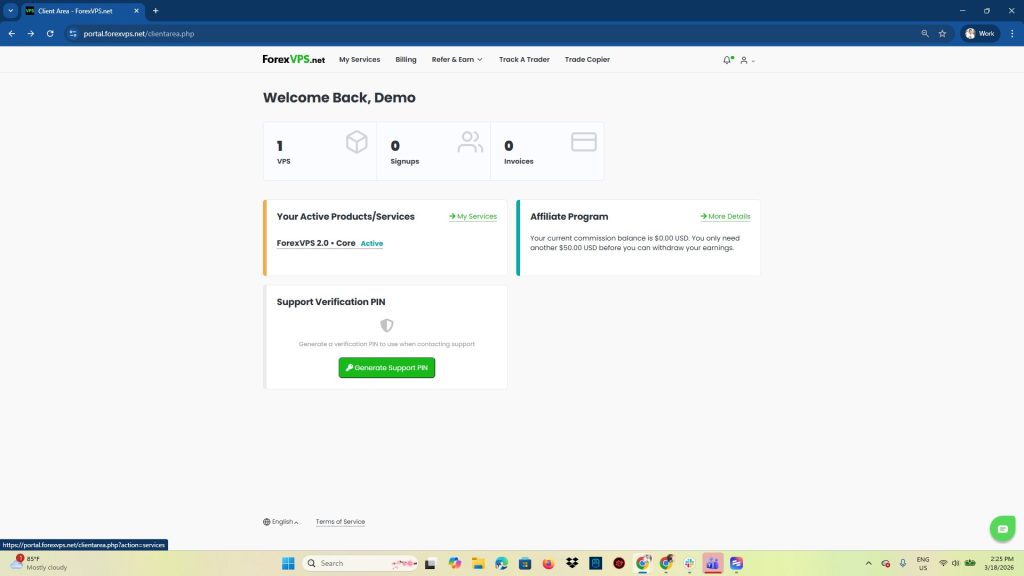
1. Login to your client area and click on VPS
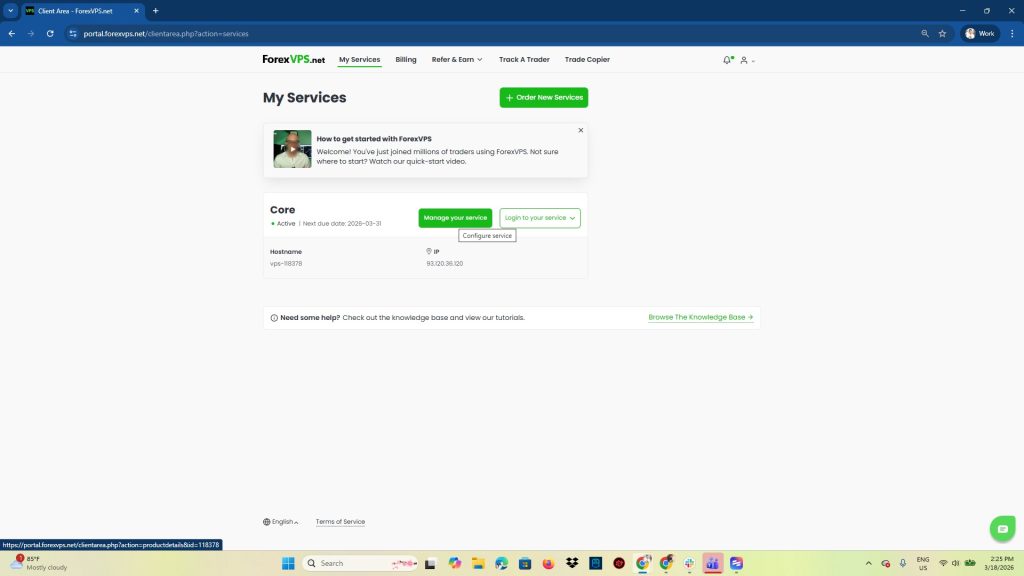
2. Find the VPS and click Manage your service
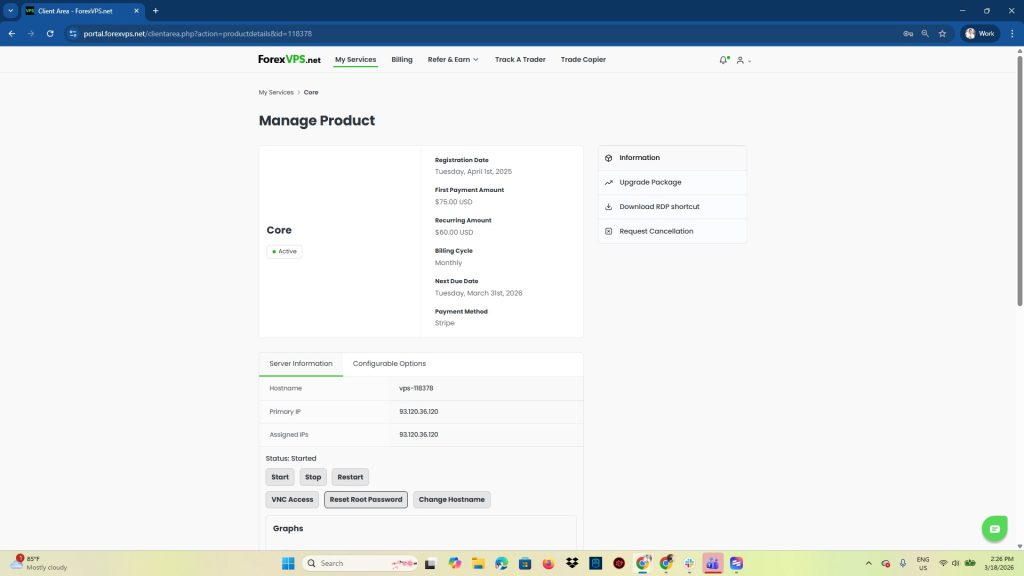
3. You will find the Reset Root Password button under Server Information
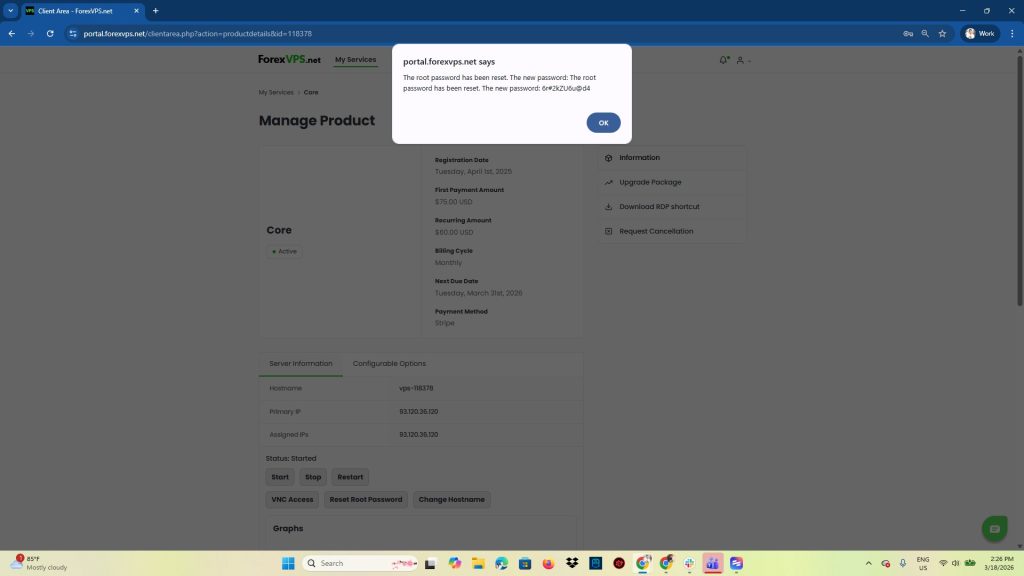
4. A pop up will appear with the new password