We offer 2 user accounts for our Virtual Machines. The “trader2” is disabled by default and this guide will teach you how to enable it.
Steps:
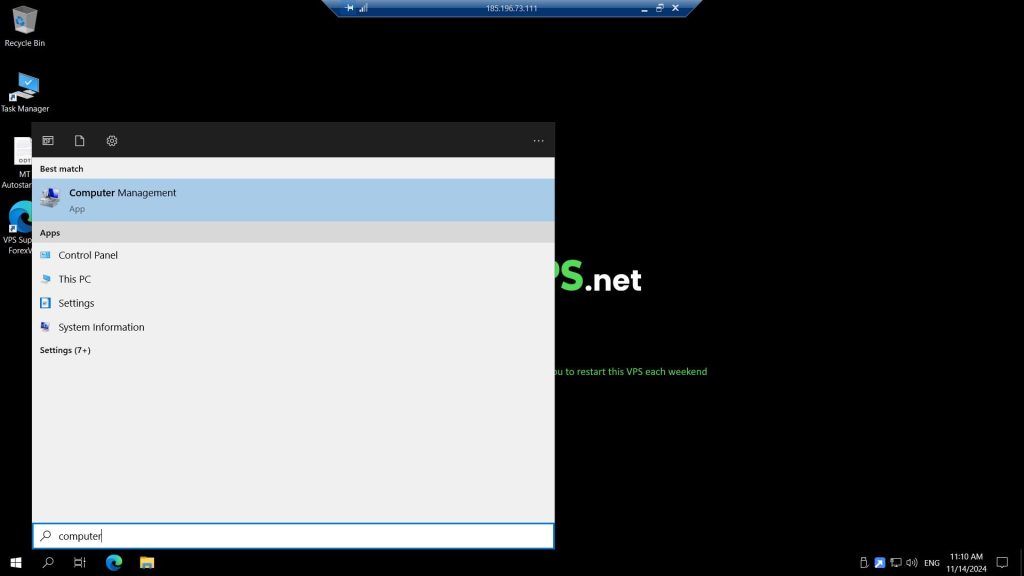
When inside your virtual machine, go to START and search for Computer Management
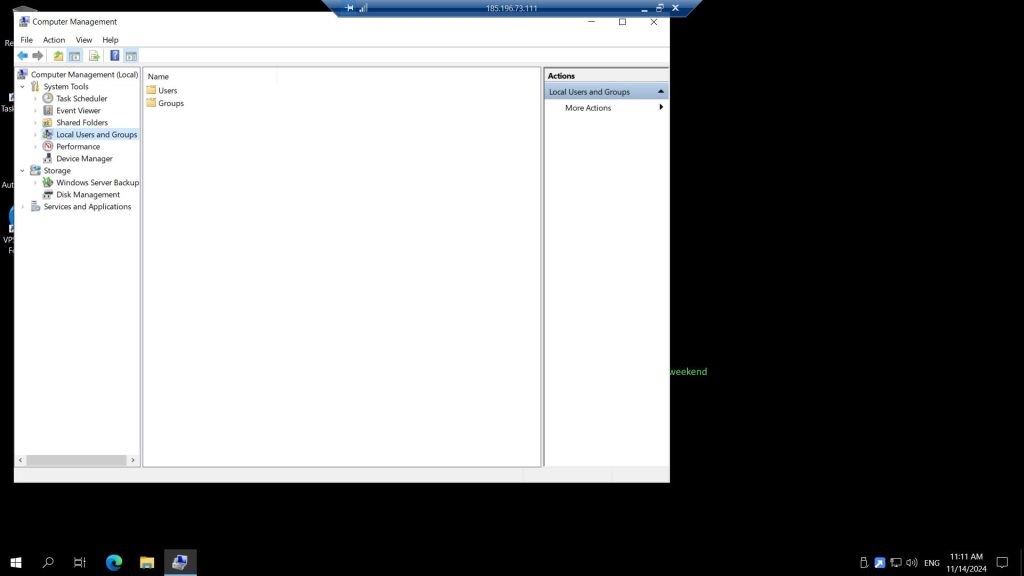
Under Computer Management, click Local Users and Groups then double-click on Users
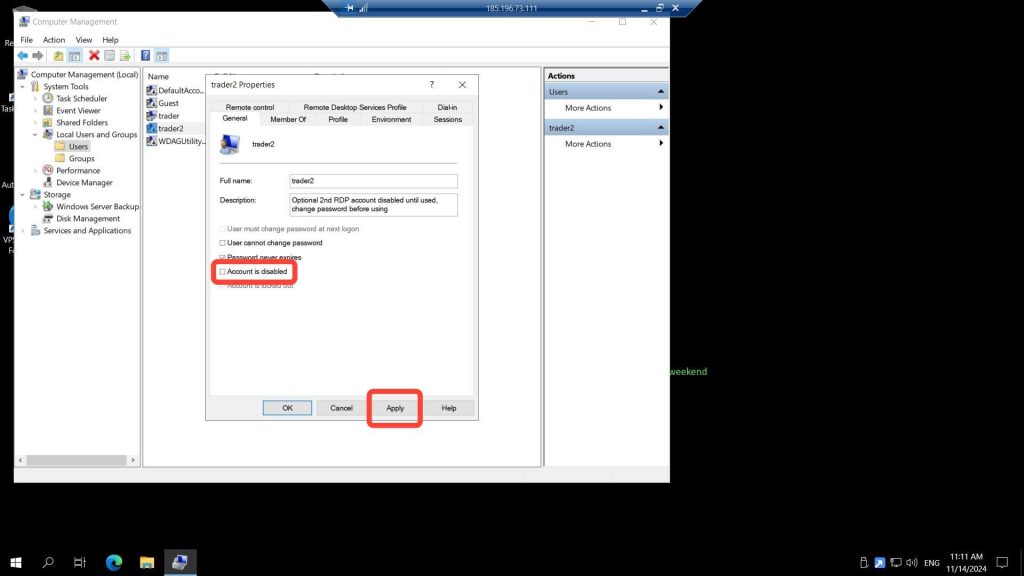
Double-click trader2 user account and remove the check mark, hit Apply and then OK
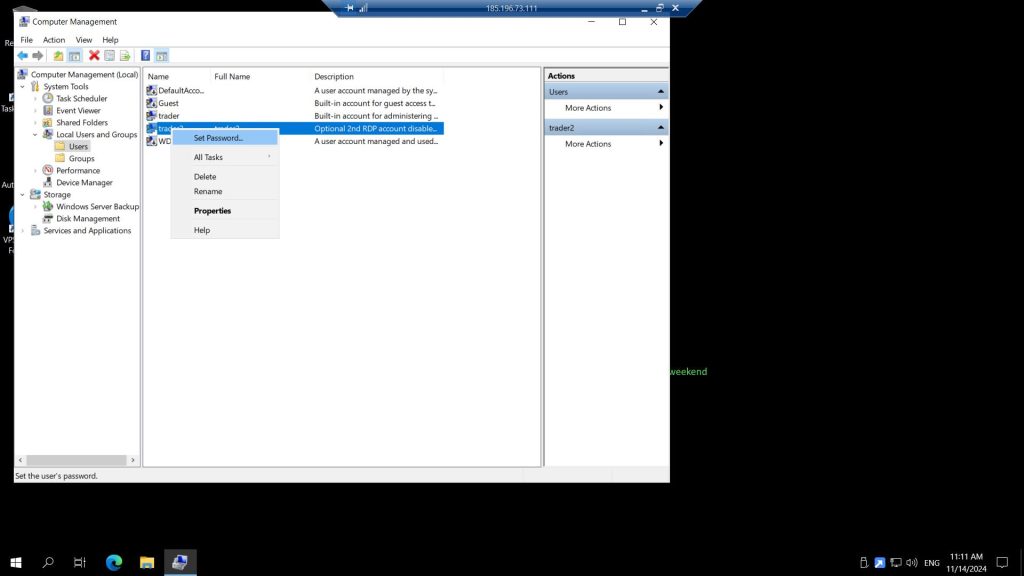
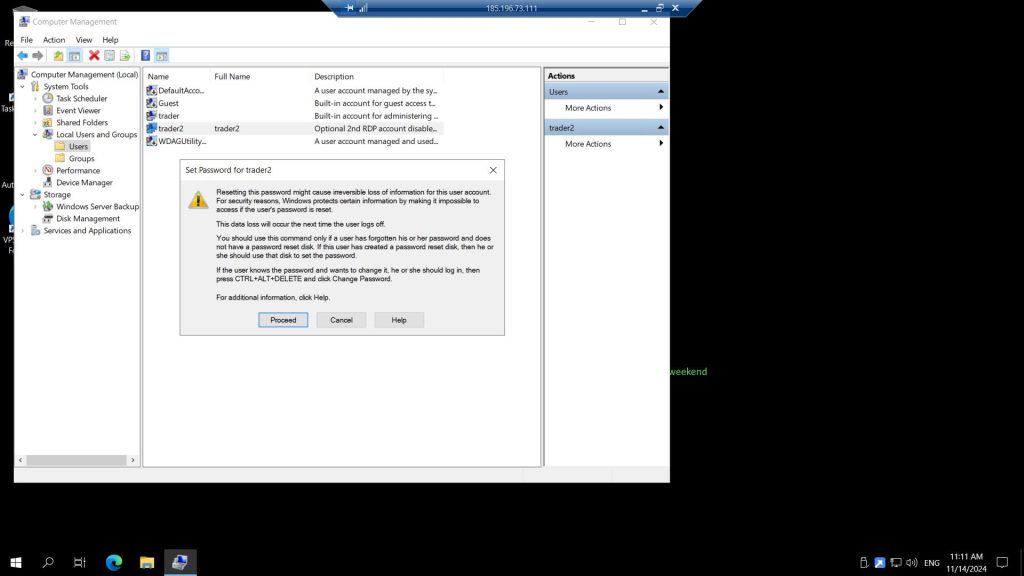
Right click on the trader2 user account then select Set Password
You can safely ignore the warning then, click Proceed
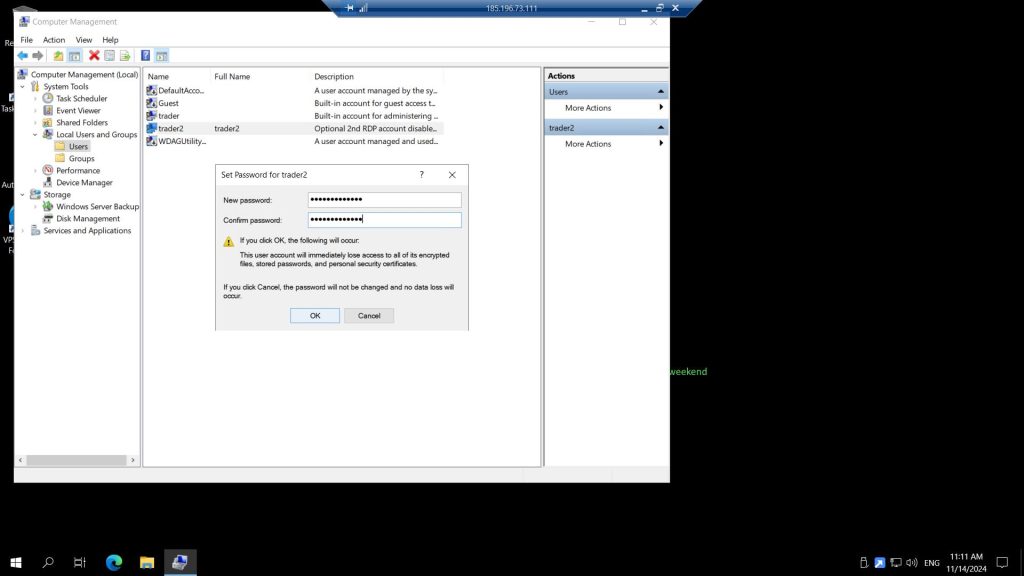
Set the your preferred password under New Password twice then click OK
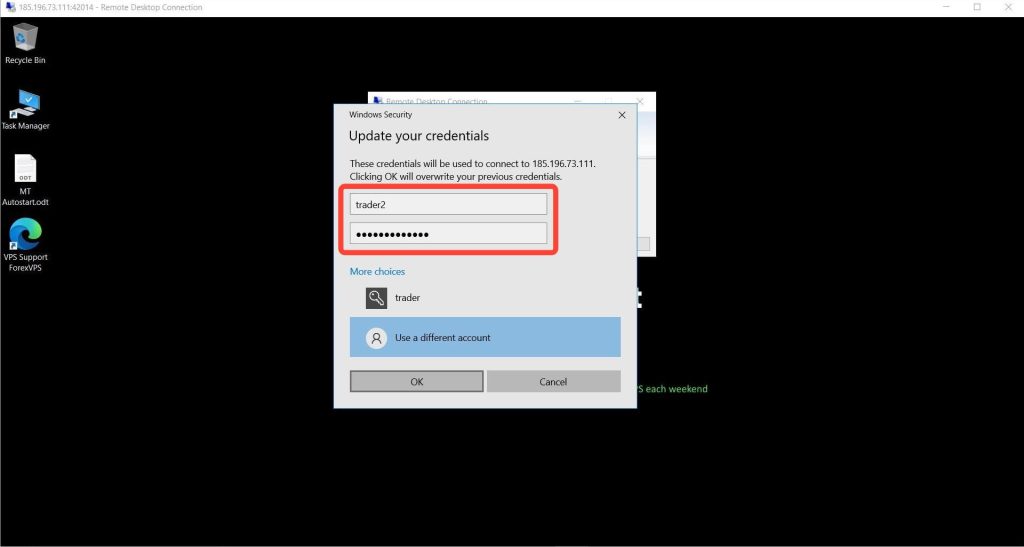
At this point you are can open RDP again and login using the “trader2” and input the password you just set
Congratulations!
You are now connected to the same VPS using 2 user accounts