- VPS for Forex trading provides many benefits, including increased security and faster execution speeds.
- Selecting the right VPS provider requires considering factors such as reliability, performance, resources and pricing structure.
- Setting up a VPS involves registering with a provider, connecting via remote desktop software & configuring the trading platform to enable MetaTrader
As a Forex trader, the adoption of automated trading technology could be the game-changer you need to elevate your trading strategy.
But how do you set up a VPS for Forex trading? Let’s show you.
- How Do You Set Up Your VPS for Forex Trading in 5 Steps?
- What are the Benefits of Using VPS for Forex Trading?
- Factors to Consider When Choosing a Forex VPS Provider
- Factors to Consider When Choosing a Forex VPS Plan
- How Do You Optimize Your Forex VPS for Enhanced Performance?
- How do I Connect to VPS on Windows?
- Is VPS Good for Forex Trading?
- How do I Connect my MT4 to VPS?
- How do I enable MetaTrader for Bot Trading Using a VPS?
- Summary
How Do You Set Up Your VPS for Forex Trading in 5 Steps?
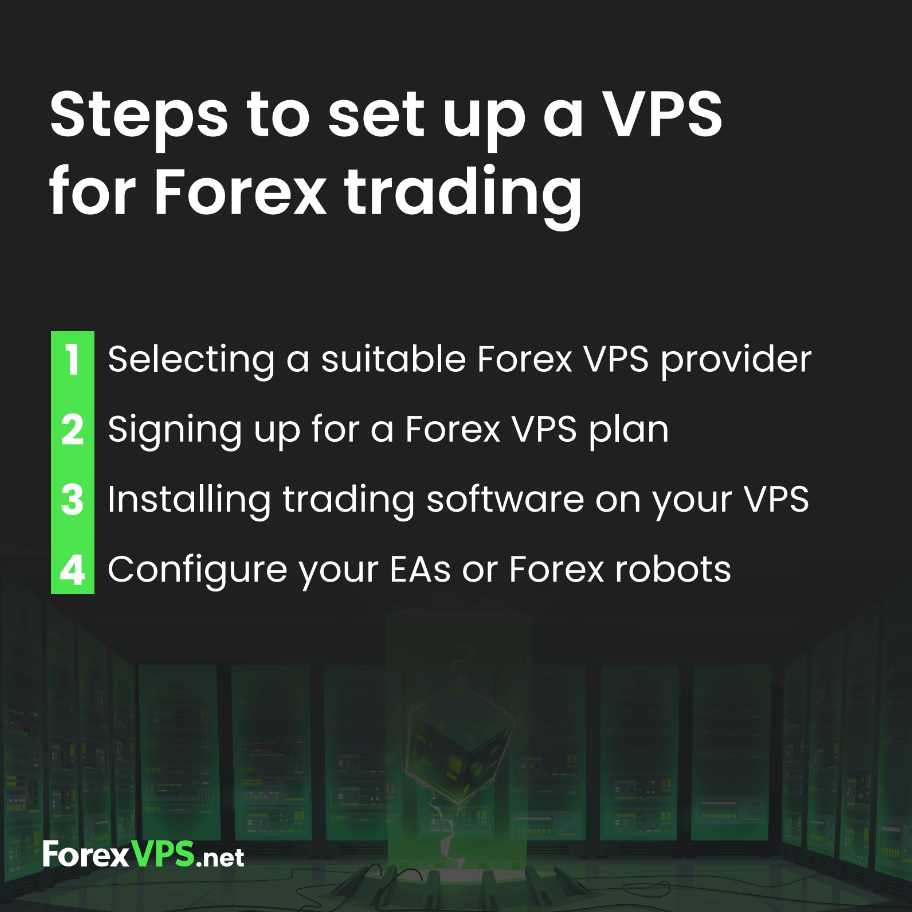
SSetting up your VPS for Forex trading involves a series of steps.
- Register with a reliable Forex VPS provider.
- Connect to the VPS using remote desktop software.
- Install and configure your trading platform on the VPS.
- Select and set up your Forex robot on the VPS.
- Configure and test your Forex robot
Let’s get into more detail about each step.
Step 1: Registering with a VPS Provider
Registering with a VPS provider is the first step in setting up your VPS for Forex trading. This is what helps you access your provider’s server.
Make sure to choose a provider with experience in forex trading and the necessary resources and support for your automated strategies. It’s a lot better if the VPS provider specializes in servicing traders. A perfect example of such a provider is ForexVPS.net. This specialized Forex VPS provider guarantees 99.99% uptime and offers generous CPU, RAM, and SSD provision.
Once you’ve registered, the provider will email you the VPS IP address and password for your VPS. They’ll also show you how to connect the VPS and install and configure your trading platform. This brings us to the next step.
Looking to get started with forex algorithmic trading strategies, check out this comprehensive guide:
Top Algorithmic Trading Strategies in 2026
Step 2: Connect to your VPS (via Remote Desktop Connection)
Connecting to your VPS is like tuning into a radio station. You need the right frequency (in this case, the VPS IP address) and the correct equipment (Remote Desktop Connection or other remote access software). With these, you can gain easy access to your VPS, regardless of where you are.
Your provider will send you the VPS IP address and login credentials for your VPS. Once you have these, you can connect to your VPS using Remote Desktop Protocol (RDP).
Windows and Apple iOS have inbuilt remote desktop connection apps. But there are other third party tools you can download that’ll get the job done.
Although this process is often the most technical part of setting up your VPS, it is quite straightforward. To make sure you get past it without issues, follow the steps provided by your Forex VPS hosting provider on how to access their VPS on your computer.
If you do this properly, you should have a basic Windows screen displayed. This means you now have access to your own remote computer on the VPS server. Everything works like your current computer, so don’t fret about how to use it. Your new “cloud computer” may even come preinstalled with MT4, the most popular trading platform. But if it doesn’t, go to the next step.
Step 3: Install and Configure Your Trading Platform
The first step is successfully connecting to your VPS. Afterward, installing and configuring your trading platform will finish the job. You can download the trading platform (like MT4) from your broker’s website via your cloud computer. Don’t forget—everything works just like it does on your computer.
Once you have your trading platform on your VPS, log in with the details provided by your broker. Once you have it all set up, you’re ready to trade. But if you have a trading bot you would like to configure to run continuously on your VPS, proceed to the next steps.
Step 4: Selecting Your Forex Robot
Your trading bot automates your trading. With it, you can make and manage trades autonomously according to the pre-coded rules of your trading strategy. They are called Expert Advisors on MT4 and MT5, and you can either buy them or build on your own.
When buying a trading bot, you need to first consider its profitability. This is obvious since you’re doing this to make money. If you already have a trading strategy that you would like to automate, you can build your own trading bot. If programming is just not your thing, you can also hire an EA developer to build it for you. You’ll find such developers on job sites or talent-sourcing platforms like Upwork and Fiverr.
It is also important to get a trading bot with a track record of proper risk management. After all, the entire trading ecosystem hinges on how well you manage your risks. Finally, if you’re a non-geeky trader trying to get set up with a trading bot, consider one that’s easy to use.
Summarily, the three things you need to consider when selecting a forex trading bot: Profitability, proper risk management, and ease of use. Use these guides to learn how to install your forex robot on your MT4 and MT5:
How to Install a Forex Trading Robot in MT4
How to Install a Forex Trading Robot in MT5
Step 5: Configure and Test Your Forex Robot
After selecting your forex robot, the next step is to configure and test it. Configuring your Forex robot involves programming it to adhere to your trading strategy.
Once you’ve configured your forex robot, it’s crucial to test it to ensure it’s operating efficiently and producing the desired outcomes. Preferably, do this on a Demo account. See that everything works exactly the way you want it before you use it on a live account.
What are the Benefits of Using VPS for Forex Trading?
Assume you’re running a Forex trading bot on your MT4. The moment you disconnect it, shut down your system, or lose internet connection, your bot stops working. This means you can’t enter new trades or manage your current ones. You’re completely cut off from the market.
But you see, there’s a place where there are never internet disconnections or power outages and where there is more computing power than you can ever exhaust. They’re called data centers. And if you can have your trading bot running from there, you’ll never be disconnected.
That’s where Forex VPS services come in. A Forex virtual private server (VPS) gives you access to resources from data centers with excess computing power to trade without disconnections. That’s the first benefit of using a VPS for forex trading: no disconnections. Your VPS also eliminates inconsistencies, delays, and security issues.
It provides a secure environment, a faster internet connection, and a dependable service that is available 24/7.
On the flip side, the use of VPS does come with service fees and capacity restrictions. However, the benefits far outweigh the costs, making it a worthwhile investment for serious traders.
Factors to Consider When Choosing a Forex VPS Provider
To select the ideal Forex VPS provider, you should prioritize ultra-low latency through proximity to major broker servers (like LD4 or NY4), a verified 99.9% uptime guarantee, specialized 24/7 technical support familiar with how trading platforms run, such as MT4 and MT5, and enterprise-grade robust security measures to protect your automated trading strategies.
1. Broker Proximity and Latency
The physical distance between your VPS and your broker’s server is the single most important factor. Look for providers with data centers in major financial centers like London, New York, or Tokyo. A provider that offers cross-connects can reduce latency to sub-millisecond levels, virtually eliminating slippage and enabling rapid trade execution, crucial in the competitive forex market.
2. Verified Network Reliability
In trading, a one-minute outage can result in catastrophic losses. Seek out providers that offer a reliable uptime Service Level Agreement (SLA) guaranteeing at least 99.9% to 100% uptime. Check for redundant power sources and multiple internet “uplinks” to ensure your Expert Advisors never go offline, supporting continuous trading without interruption during peak market hours.
3. Trading-Specific Technical Support
Unlike standard web hosting, forex hosting requires support staff who understand why an MT4/MT5 terminal might hang or how to optimize a high-performance trading environment on Windows Server for trading. Ensure they offer 24/7 live assistance via chat or phone to resolve technical glitches in real-time, which is vital for maintaining trading success.
4. DDoS Protection and Security
Your VPS is a gateway to your sensitive trading data and capital. The provider must offer robust security, including DDoS mitigation to prevent malicious attacks from disrupting your connection, alongside hardware firewalls and isolated server environments to protect your proprietary algorithms and trading software.
Factors to Consider When Choosing a Forex VPS Plan
The right forex VPS plan is determined by matching your dedicated resources (RAM and CPU) to the number of trading terminals you run, selecting high-speed NVMe storage for rapid data processing, and ensuring the operating system is a lightweight, licensed version of Windows Server optimized for forex trading.
1. CPU and RAM Allocation
Each MetaTrader instance consumes a specific amount of memory. For a starter setup (1–2 terminals), 2GB RAM and 2 vCPUs are typically sufficient. For advanced setups with 5+ terminals or resource-heavy EAs, aim for 8GB+ RAM. If you’re an MT4 trader, always prioritize high clock speeds (GHz) over a high number of cores, as MT4 is largely a single-threaded application. This allocation ensures optimal performance for your trading operations. Otherwise, multiple cores are great!
2. Storage Speed (NVMe vs. SSD)
Avoid traditional hard drives. To ensure your platform boots instantly and historical trading data for backtesting loads without lag, choose a plan with NVMe storage or enterprise-grade SSD at a minimum.
| Trading Load | Recommended RAM | Recommended CPU | Storage Type |
|---|---|---|---|
| 1-2 Terminals | 2GB – 4GB | 2 Cores | SSD / NVMe |
| 3-6 Terminals | 6GB – 8GB | 4 Cores | SSD / NVMe |
| 7+ Terminals | 16GB+ | 6+ Cores | SSD / NVMe |
3. Operating System Optimization
Most Forex tools are Windows-native. Choose a plan that utilizes Windows Server 2019 or 2022. These versions are optimized for “background” tasks, ensuring your trading platforms run smoothly and your trading terminal receives priority over unnecessary OS visual effects and consumer-grade background processes.
4. Resource Scalability
Your plan should come with flexible resource allocation. As you add multiple currency pairs or more complex indicators, you will need the ability to upgrade your RAM or CPU instantly without needing to migrate your data or change your IP address. This “on-the-fly” scalability prevents your terminals from crashing during growth phases and supports expanding trading needs for both beginner traders and professional traders.
How Do You Optimize Your Forex VPS for Enhanced Performance?
Once your virtual private server (VPS) is up and running, the next step is to optimize it for enhanced performance.
This section will guide you through securing your VPS environment, monitoring its resource usage, and maintaining it to ensure optimal trading conditions.
Securing Your VPS Environment
Securing your VPS environment involves implementing strong passwords, updating software regularly, and using antivirus and firewall protection. This not only protects your VPS from potential threats but also ensures a secure trading environment.
The more secure your VPS environment, the safer your trades. Don’t underestimate the importance of security.
Monitoring and Maintaining Your VPS
Monitoring and maintaining your VPS involves taking care of these main areas:
- monitor your VPS’s resource usage
- address any performance issues
- ensure your trading platform and a forex robot are functioning optimally
Regularly check for updates, resolve any performance issues, and keep your VPS running smoothly. This will ensure your trading platform and forex robot can operate at their best, helping you reach your trading goals.atform and forex robot can operate at their best, helping you reach your trading goals.
How do I Connect to a VPS on Windows?
Connecting to a VPS on Windows is straightforward. You can access Remote Desktop Connection by pressing the start button on your computer and searching for ‘Remote Desktop Connection.’
Then follow these steps to connect to your VPS:
- Open Remote Desktop Connection.
- Input the VPS’s IP address in the “Computer” field.
- Enter your login credentials in the “User name” field.
- Press “Connect”. Voila! You’re connected to your VPS.
Is VPS Good for Forex Trading?
Absolutely! Using VPS for forex trading gives you an edge over other traders by reducing latency and slippage, providing faster execution speeds, and offering reliable and uninterrupted performance. Scholarly research proves it; our in-depth in-house research backs it up.
It also allows you to trade from any location at any time, providing necessary protection and unlimited access to your trades.
How do I Connect my MT4 to VPS?
To connect your MT4 to a VPS, you need the correct credentials and a reliable connection. An internet connection is mandatory for this task. Additionally, you must have a remote desktop connection and VPS details, such as the address and password from your broker or service provider.
Once you have this information, you can connect to your VPS, install MT4, and start trading.
How do I Enable MetaTrader for Bot Trading Using a VPS?
To enable your MetaTrader VPS, you need to follow this series of straightforward steps:
- Register with a VPS provider
- Connect to the VPS
- Install and configure the MetaTrader
- Select your Forex robot
- Configure and test your forex robot
Once you’ve completed these steps, you’re ready to start trading.
Summary
In conclusion, setting up a VPS for your forex trading is a game-changer that can provide you with a competitive edge in the forex market.
From choosing the right Forex VPS provider and plan to installing and configuring your trading platform, selecting a forex robot, and securing and optimizing your VPS, each step is crucial to setting up a successful forex trading system. With this guide, you’re now ready to embrace the world of VPS for forex trading.