The number of MT4 terminals your ForexVPS can handle depends on several factors — not just your plan tier. This guide breaks down what affects capacity and gives concrete recommendations by plan type.
Before you start: A conservative guideline is 2–4 MT4 terminals per CPU core, but your actual capacity depends entirely on how each terminal is configured.
What Determines How Many Terminals You Can Run
How many MT4 terminals you can run on your ForexVPS depends on a few things:
- How many symbols you’re receiving data for
- How many charts you’re running on each MT4
- How many indicators are on each chart
- How many Expert Advisors are on each MT4
- How many open trades your EAs concurrently manage on average
- Whether your EAs or indicators are CPU intensive
General Guideline per CPU Core
A conservative guideline is 2–4 MT4 terminals (with a handful of charts each) per CPU core, though this depends on each client’s overall configuration. Be sure not to overload your ForexVPS’s CPU usage — leave headroom for very active market sessions, which demand more CPU. Properly optimizing your MT4 terminals allows you to run more within the same resources.
Recommended Platform Count by Plan
When MetaTrader platforms are properly optimized and your ForexVPS is dedicated primarily to trading — without heavy web browsing or resource-intensive software — the recommended number of platforms per VPS plan is:
| Plan | Recommended platforms |
|---|---|
| Core | 1–3 platforms |
| Edge | 4–5 platforms |
| Prime | 6–7 platforms |
Keeping Each Platform “Clean”
Run each platform on your ForexVPS as clean as possible — only exactly what’s needed, nothing more. For example, when using a trade copier EA, that means 1 chart and 1 EA total per MT4. Don’t run a single indicator or EA you don’t have to. Hide symbols you know for sure you won’t trade — this saves memory and CPU usage.
Monitoring CPU and RAM Usage
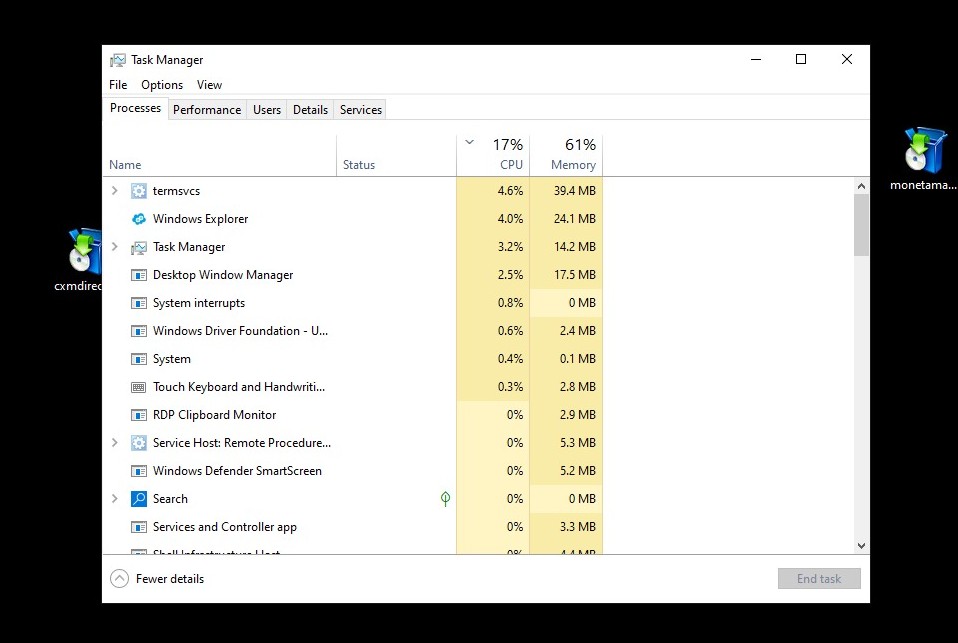
Monitor your ForexVPS’s CPU usage with Windows Task Manager (shortcut CTRL+SHIFT+ESC). Keep CPU usage below 80% on average to allow for resource usage spikes.
Your ForexVPS’s memory (RAM) is equally important to monitor. On the Performance tab of Task Manager, make sure either CPU or RAM stays below 80%.
Frequently Asked Questions About Running Multiple MT4 Terminals on Your VPS
Still have questions about how many MT4 terminals your ForexVPS can run? Find quick answers below.
How many MT4 terminals can I run on a Core plan?
A Core plan is recommended for 1–3 platforms when properly optimized and dedicated to trading.
Does the number of EAs affect how many terminals I can run?
Yes. The number of EAs, charts, indicators, and open trades all directly impact CPU and RAM usage, which determines how many terminals you can realistically run.
What’s the safest CPU and RAM threshold to stay under?
Keep both CPU and RAM usage below 80% on average, leaving headroom for spikes during active market sessions.
How can I run more terminals on the same VPS plan?
Optimize each MT4 terminal by closing unused charts, hiding unused symbols, and running only the indicators and EAs you actually need.