
Managing multiple trading accounts manually is slow, and every extra account is another chance for a missed entry or a sizing error. A VPS-based trade copier solves this by automatically mirroring your trades from one main account to multiple sub-accounts in milliseconds. Learn how this same-server setup eliminates latency and manages your risk.
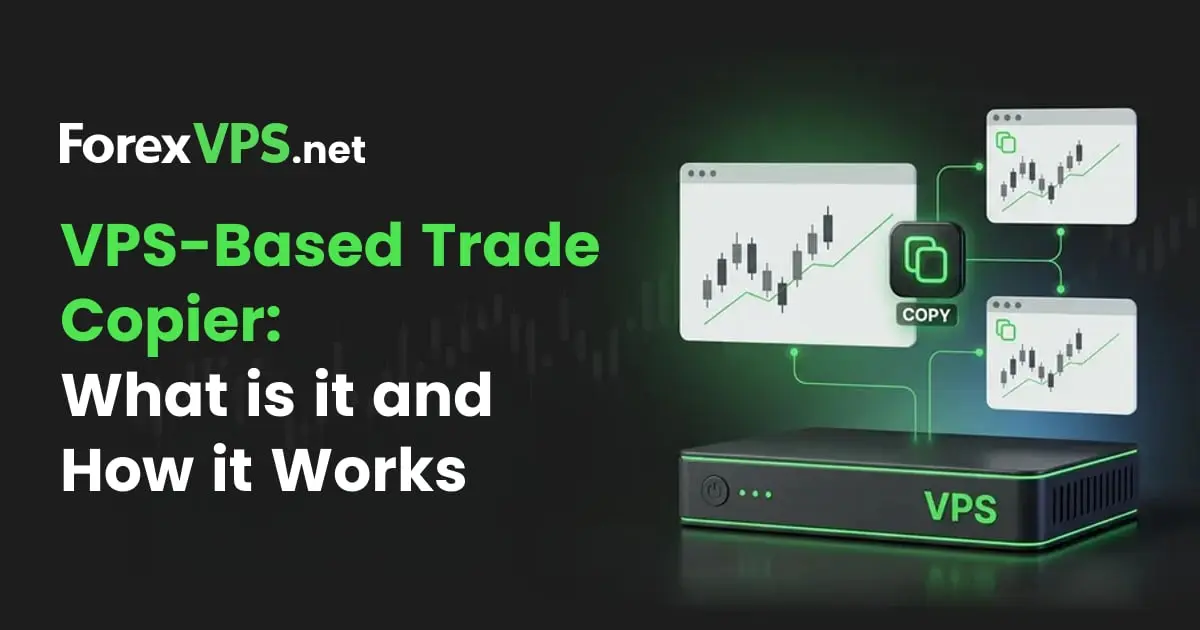
Traders often manage multiple accounts at once: a prop firm evaluation, a personal account, sometimes several brokers. Filling the same position across several accounts manually is slow, and every extra account is another chance for a wrong lot size or a missed entry. A VPS-based trade copier, like the ForexVPS Trade Copier, solves this by running the main account and every sub-account on the same server, executing a trade once and mirroring it across every connected account in milliseconds.
This guide explains what VPS-based copying is, how it works, and how it compares to cloud-based copiers and other alternatives, and when it’s worth setting up.
What Is a VPS-Based Trade Copier?
A VPS-based trade copier is software that runs on the same virtual server as every connected MT5 terminal. It duplicates every trade from one main trading account onto one or more sub-accounts without routing the signal through any external server.
The main account is also called a master account, and the sub-accounts are sometimes called follower accounts. The trader executes an order once, and the copier mirrors it across every connected account on the same machine, with position sizes adjusted to each account’s balance and risk settings.
For traders running multiple MT5 accounts, such as personal capital alongside a prop firm evaluation, 2 or 3 brokers, or a managed account, a VPS-based trade copier replaces manual re-entry with instant, synchronized execution. That execution never leaves the server.
ForexVPS offers a free trade copier with every plan. This copier
How Does a VPS-Based Trade Copier Work?
Every VPS-based trade copier operates on a one-master-many-followers model, with every terminal running on the same server.
- The Main account is the source of trades. It can be traded manually or by an Expert Advisor.
- The Sub-accounts are the receivers. Every position opened on the main account, entry, stop loss, take profit, is reproduced on each sub-account within milliseconds.
The copier sits between the accounts as a bridge, without ever leaving the VPS, and copying a trade follows the same sequence every time:
- An Expert Advisor attached to the main terminal detects a new transaction, such as an open, a modify, or a close
- That EA exports the transaction as a signal, staying local to the VPS the whole time
- A matching EA on each sub-terminal receives the signal within milliseconds
- The receiving EA executes the same action on its own sub-account, resized according to that account’s risk setting
- The sequence repeats automatically every time the main account’s position changes, with no manual input required
How Position Sizing and Risk Settings Work on a VPS-Based Trade Copier
Position sizing is where real risk management happens, and where a good copier earns its keep. Instead of copying lot sizes 1:1, a VPS-based copier handles that calculation automatically, recalculating each order for the receiving account using a risk setting:
| Risk setting | How it sizes the copied trade | Best for |
|---|---|---|
| Lot Multiplier | Main account lot size × a fixed multiplier | Accounts of similar size |
| Risk Multiplier | Adjusts lot size proportionally to match the main account risk percentage relative to the sub-account balance | Accounts of different sizes |
| Fixed Lot | Ignores the main account size and always trades a set lot | Prop firm rules, strict risk caps |
A Risk Multiplier setting turns a 1-lot trade on a $50,000 main account into a 0.2-lot trade on a $10,000 sub-account automatically, the same trade at proportional risk.
What Are the Benefits of Using a VPS-Based Trade Copier?
1. One Execution, Every Account
A VPS-based trade copier removes both delay and error by executing once on the server and copying everywhere instantly. The trader, or an EA, executes once on the main account, and every sub-account receives the identical trade instantly, with entries, stop losses, take profits, and closes all staying synchronized.
Manually repeating a trade across accounts introduces the same delay and error every time. By the time the second and third orders are placed, the price has moved, and under pressure, it is easy to enter the wrong lot size or miss an account entirely.
This matters most for:
- Prop firm traders running the same trading strategy across prop firm accounts and funded accounts
- Professional traders with several brokers who want identical exposure without entering the same trade multiple times
- Signal providers and account managers who need reliable, auditable execution across client accounts
2. Automatic, Per-Account Risk Control
Copying trades is easy; copying them fast at the right size for every account, without the signal ever leaving the VPS, is what separates a real copier from a script. Because each sub-account carries its own risk setting (Lot Multiplier, Risk Multiplier, or Fixed Lot), one trade on the main account produces correctly sized positions on every account, without the trader doing the math at execution time.
Fixed Lot sizing matters most for funded traders: a fixed-lot setting on a prop account keeps every copied trade inside the firm’s risk rules even when the main account trades a more aggressive size.
3. Near-Zero Copy Latency on a VPS
A VPS-based copier keeps the main account and every sub-account on the same server, so the copying happens in milliseconds instead of seconds. The trade signal travels between terminals on the same machine instead of leaving it, which is what makes the latency this low. That server-side reliability also beats running the terminal on a home computer, which loses the connection the moment the machine sleeps or the internet drops.
Cloud-based copiers route every trade over the public network through an external server instead: main account terminal to third-party cloud to sub-account terminal. Each hop adds latency, and during a volatile session that delay turns into slippage on every copied account. Breaking the full order-to-order pipeline into its individual steps, based on how MetaTrader 5 actually queues and delivers trade events internally, shows exactly where that latency comes from, and where a same-VPS setup avoids it entirely.
| Pipeline step | Same-VPS copier | Cloud-based copier |
|---|---|---|
| 1. Main account broker fill | 70 to 200ms | 70 to 200ms |
| 2. Terminal registers the trade event | Under 1ms | Under 1ms |
| 3. Signal reaches the copier | Under 1ms, same machine | 20 to 100ms, over the internet |
| 4. Copier calculates the sub-account’s position size | Under 1ms | 1 to 5ms, shared server load |
| 5. Signal reaches the sub-account’s terminal | Under 1ms, same machine | 20 to 100ms, relay back down |
| 6. Sub-account broker fill | 70 to 200ms | 70 to 200ms |
| Total, order to order | Approximately 145 to 405ms | Approximately 180 to 605ms |
The two broker fill legs, at the very start and the very end, take the same amount of time no matter which type of copier is used. That time belongs to the brokers’ own matching engines rather than the copier itself. Independent testing across 20 forex brokers puts even the fastest ECN execution in the 70 to 100ms range, with most brokers running slower. Where a trader lands inside that range still depends on network proximity to the broker’s own servers, which is why ForexVPS positions its data centers close to major broker and liquidity hubs rather than treating broker fill time as fixed.
Steps 3 and 5 are where the two approaches genuinely diverge. On a same-VPS copier, the signal never leaves the machine. On a cloud-based copier, it has to travel out to the vendor’s server and back twice, and that round trip accounts for nearly all of the extra time in the cloud-relay total above.
4. Synchronized Exits and Trade Management
A VPS-based copier is not just for entries: when the main account closes a position, it closes the corresponding position on every sub-account automatically, in the same local execution loop. Whether that close happens manually, at stop loss, or at take profit, nobody has to race through four terminals closing trades during a news spike.
5. Centralized Monitoring and Analytics
Running every terminal on a single VPS means a single dashboard can provide full visibility into every account, rather than checking multiple machines separately. Open trades across multiple accounts show up with lot size, entry price, and symbol in one view, plus per-account trading statistics and execution analysis in the ForexVPS Client Area.
Centralized monitoring turns a multi-account operation into something that can be easily supervised from one screen.
6. Lower Real Cost Than the Alternatives
The ForexVPS Trade Copier is included free with any VPS plan, while other trade copier services typically charge $20 to $100 or more per month on top of a separate hosting bill. That gap adds up to real money over a year of trading, on top of the limited control those services usually offer over sizing and symbol mapping.
The cost comparison for a trader who already manages more than one account looks like this:
| Option | Monthly cost | Copy latency | Risk sizing control |
|---|---|---|---|
| Manual re-entry | Free | Seconds to minutes, human | Manual, error-prone |
| Other copier services | $20 to $100 or more | 100ms to 1s or more | Varies by provider |
| ForexVPS Trade Copier | Free with every VPS plan | Milliseconds, same VPS | Lot/Risk Multiplier, Fixed Lot |
For traders who already need a VPS for 24/7 EA uptime, a bundled Trade Copier means the entire multi-account infrastructure comes in at the price of the VPS instance alone. That covers hosting, execution, copying, and analytics on one piece of hardware, rather than paying separately for each.
Also Read: How to Set Up a Free MetaTrader VPS
How Does a VPS-Based Trade Copier Compare to the Alternatives?
A VPS-based copier is one of four ways to copy trades, and each of the other three trades away something specific in exchange for a different strength.
The other kinds of copiers are:
- Cloud-Based Copiers
- Broker-Native Copiers
- Social Trading Platforms
The comparisons below go through each one directly.
VPS-Based Copiers vs. Cloud-Relay Copiers
The core difference is where the trade signal travels: a VPS-based copier keeps it on one machine, while a cloud-relay copier routes it through an external server (the provider’s cloud service) every time. That extra hop is the entire source of the latency gap between the two approaches.
| VPS-Based Copier | Cloud-Relay Copier | |
|---|---|---|
| Signal path | Terminal to terminal, local | Terminal to external server to terminal |
| Typical copy delay | Approximately 0.6ms | 100ms to 1s or more |
| Works across separate machines | No, all terminals share one VPS | Yes, terminals can be anywhere |
| Monthly cost | Free with a ForexVPS plan | $20 to $100 or more, on top of hosting |
| What it depends on | The VPS itself | The VPS, plus the relay provider’s uptime |
Consider a fast-moving news release. A trader’s main account enters EURUSD the instant a headline crosses the wire, and the market moves several pips over the following few seconds. On a VPS-based copier, every sub-account receives that signal in roughly half a millisecond, before the price has meaningfully moved.
On a cloud-relay copier, the trade has to leave the terminal, reach the relay server, and travel back down to each sub-account, a round trip that can take anywhere from 100 milliseconds to over a second. In a fast market, that gap is often the difference between a clean fill and a noticeably worse one.
Cloud-relay copiers have one advantage that runs the other way, though. They can link accounts sitting on completely different VPS providers, or even different physical machines. A VPS-based copier cannot do this by design, since every account has to share the same server.
VPS-Based Copiers vs. Broker-Native or API-Based Copy Trading
The core difference is scope: a VPS-based copier works across any broker whose accounts run in MT5, while broker-native copying is locked to whichever single broker built it. That distinction matters most for traders who don’t keep every account with the same broker.
| VPS-Based Copier | Broker-Native or API-Based Copy Trading | |
|---|---|---|
| Cross-broker support | Yes, any MT5 broker | Usually no, locked to one broker’s ecosystem |
| Requires separate software | Yes, EAs installed on each terminal | No, built into the broker’s own platform |
| Symbol mapping across brokers | Handled automatically | Not applicable, same broker throughout |
| Platform dependency | MT5 | Whatever platform that broker offers |
| Setup effort | One-time installation across terminals | Usually built in, minimal setup |
Consider a trader with a personal account at one broker and a prop firm evaluation at a different broker. Broker-native copy trading has no way to bridge that gap, since it only operates inside its own broker’s infrastructure. A VPS-based copier handles this by design, since each broker’s MT5 terminal runs on the same VPS, and the copier passes signals between them regardless of which broker each account belongs to.
Broker-native tools do have one real advantage: if every account already sits with the same broker, there is nothing extra to install. That convenience disappears the moment a second broker enters the picture.
Also Read: MetaTrader VPS vs Third-Party Trading VPS
VPS-Based Copiers vs. Social Trading and Signal-Copying Platforms
The core difference is whose strategy is being copied: a VPS-based copier mirrors your own main account, while social trading mirrors a stranger’s. That changes the entire relationship, not just the mechanics.
| VPS-Based Copier | Social Trading / Signal-Copying | |
|---|---|---|
| Whose trades get copied | Your own main account | A signal provider or “leader” you don’t control |
| Cost model | Free with a ForexVPS plan | Usually a recurring subscription or profit share |
| Strategy control | Full, you decide what the main account trades | None, you inherit the provider’s decisions |
| Data and audit trail | Stays within your own accounts | Shared with a third-party platform |
| Typical use case | Running your own strategy across several accounts | Following someone else’s strategy |
A prop firm trader running the same strategy across three funded accounts is a VPS-based copier use case: one account, one strategy, three destinations. A trader who has never developed a strategy and wants to follow an experienced signal provider instead is a social trading use case. That’s a different account, a different strategy, and usually a fee, since signal providers typically charge their subscribers for access. The two solve genuinely different problems, and neither replaces the other.
Across all three alternatives, a VPS-based copier like the ForexVPS Trade Copier keeps every terminal, and the copier itself, on one machine; trades never leave it. The practical setup looks like this:
- All MT5 terminals live on one machine, which keeps copying local and near-instant
- It works alongside your EAs on the same VPS, and the main account can be fully automated
- Setup is a one-time, 4-step installation: install the copier EAs on each MT5 terminal, assign main account and sub-accounts in the Client Area, create a group with your risk settings, and map symbols between brokers
- It is included free with every ForexVPS plan; there is no separate license, subscription, or per-account fee
Two current limitations to know before you start: the copier supports MT5 only; MT4 is not yet supported, and all accounts need to run on the same VPS, which is also precisely what makes it fast. The ForexVPS Trade Copier comes for free with any ForexVPS plan, alongside other high-end proprietary tools, such as AlgoBuilder and TrackaTrader.
Also Read:
What to Check Before You Connect Multiple Accounts to Your VPS-Based Copying System
A working copier is only half the setup; 2 things are worth confirming before you connect anything live.
1. Broker terms of service
Some brokers restrict correlated positions across accounts under common ownership, or have specific clauses covering automation and Expert Advisors. A setup that works perfectly on the VPS side can still violate a broker agreement if one of the brokers involved prohibits it. Read the terms for every broker in the chain, not just the one hosting your main account, before connecting sub-accounts.
2. Money-manager licensing, if you are copying to someone else’s accounts
Copying trades across your own multiple accounts is a different situation from copying trades onto accounts you do not own. Signal providers and account managers acting for other people can trigger licensing or registration requirements that vary by jurisdiction and regulator. A trade copier handles the execution, not the compliance. Confirm your regulatory obligations before managing trades for anyone other than yourself.
What Are the Risks of Using a VPS-Based Trade Copier?
A VPS-based trade copier carries two categories of risk: risks that come with copy trading in general, and risks that come specifically from running every account on one machine. Knowing which is which matters before connecting anything live.
Risks That Apply to Any Trade Copier, Not Just VPS-Based Ones
These risks exist regardless of which type of copier is used, cloud-relay, broker-native, or VPS-based, because they come from the act of copying trades itself, not from where the signal travels.
- Risk concentration. A single bad entry on the main account is no longer confined to one account; it lands on every connected account at once. A copier multiplies mistakes exactly as fast as it multiplies good trades, so keep position sizing and stop losses disciplined on the main account.
- A false sense of safety. A copier only reproduces what the main account does. It does not evaluate whether a trade is a good idea; poor risk management on the main account still produces poor outcomes everywhere that trade gets copied.
- Cross-broker execution differences. Symbol mapping solves naming mismatches between brokers, but differences in spread, execution model, or liquidity can still cause a copied trade to requote or reject on a sub-account, covered in more detail in the FAQ below.
- Compliance exposure. Broker terms of service and, for signal providers or account managers, licensing requirements can be violated by a copying setup that works perfectly from a technical standpoint. Both are covered in more detail above, under what to check before connecting.
Risks Specific to the VPS-Based, Same-Machine Model
Running every account on one server creates a genuine tradeoff: the latency advantage comes from shared infrastructure. A problem with that infrastructure affects every connected account at the same time.
- A single point of failure. If the VPS itself goes down, whether from a hardware fault, a network outage, or a provider-side issue, every connected account loses copying simultaneously. A cloud-relay copier can spread terminals across separate machines, so one machine failing does not necessarily take every account offline with it.
- Resource contention across every account at once. An undersized VPS running too many terminals and EAs shows up as slower execution and delayed copying across every connected account, not just the one causing the load.
- Migration cost. Because every terminal has to sit on the same machine, switching VPS providers means moving and reconfiguring every account together, rather than migrating one account at a time.
ForexVPS reduces these risks with dedicated CPU and RAM on every plan, plus a service-level agreement covering any drop below 99.99% uptime. Running on dedicated resources, rather than shared hosting offered by some VPS providers, avoids the resource contention that comes from other tenants competing for the same hardware, which keeps execution consistent across every connected account.
When Is a VPS-Based Trade Copier NOT Worth It?
A VPS-based trade copier solves a multi-account problem; it isn’t worth using in 3 common situations:
- You trade a single account. With no second account to copy to, a copier adds setup time and nothing else. Revisit it when you add a prop firm evaluation or a second broker.
- You deliberately run multiple strategies across your accounts. A copier mirrors the main account everywhere. If your accounts are meant to trade differently, watching your trades mirror the main account works against you.
- You still trade on MT4. The ForexVPS Trade Copier is MT5-only for now. MT4 traders would need to migrate terminals first.
Copying trades also concentrates risk rather than eliminating it: a single bad entry on the main account is no longer confined to one account; it lands on every follower account at once. That is a real, substantial risk worth planning for. Keep position sizing and stop losses disciplined on the main account before connecting anything else to it.
If you run two or more MT5 accounts that should hold the same positions, a VPS-based trade copier pays for itself on the first trade you don’t have to re-enter by hand.
What’s the Bottom Line?
A VPS-based trade copier like ForexVPS Trade Copier turns multi-account trading from a manual chore into a single execution. One trade on the main account gets instantly mirrored to every connected sub-account, with position sizes matched to each account’s balance and risk rules. The compounding benefits of keeping everything on one server are synchronized entries and exits, per-account risk control, centralized analytics, and copy latency measured in milliseconds instead of seconds.
For ForexVPS users, the economics are simple: the Trade Copier is included free with every VPS plan, so the same server that keeps your EAs running around the clock also handles your multi-account execution. There is no separate copy trading infrastructure to buy or maintain. As with any trading tool, past performance is not a guarantee of future results. A copier reproduces execution, not outcomes.
The next practical step is the setup itself, covered in the step-by-step Knowledge Base guide: How to Set Up The Trade Copier on Your ForexVPS.
Frequently Asked Questions About VPS-Based Trade Copiers
The questions below cover the most common decision points for traders evaluating VPS-based copy trading software.
What is the difference between a VPS-based trade copier and social trading?
The mechanism is the same; trades from one account are reproduced on another, but the relationship differs. Social trading platforms copy another trader’s signals, from a signal provider or “leader” account, to your account, usually for a fee through a cloud service. A VPS-based trade copier copies your own main account to your own additional sub-accounts on the same server, keeping strategy, risk, and data fully under your control.
Does a VPS-based trade copier work with Expert Advisors?
Yes. The main account can be traded manually or by any EA. The copier mirrors whatever the main account does. An automated strategy on the main account gets replicated across every sub-account automatically.
Can I copy trades between different brokers?
Yes, as long as each broker account runs in its own MT5 terminal on the same VPS. Symbol names can differ between brokers (EURUSD versus EURUSD.r, for example), which is why the ForexVPS Trade Copier generates this mapping automatically for each sub-account. Symbol mapping solves the naming mismatch, but it does not guarantee an identical fill: differences in spread, execution model, or available liquidity between brokers can still cause a copied trade to requote or reject on the sub-account even when the main account filled cleanly.
How fast is a trade copied on a VPS-based copier?
In milliseconds, since the signal never leaves the machine. Cloud-relay copiers add 100ms to over a second per trade, which shows up as slippage between the main account and sub-account fill prices, especially in fast markets.
Does the ForexVPS Trade Copier cost extra?
No. It is included free with every ForexVPS plan. You install it once on your MT5 terminals, and there are no per-account fees or subscriptions.
Can prop firm traders use a VPS-based trade copier?
Yes, and Fixed Lot sizing makes it easy to stay inside a firm’s risk limits, including payout-eligibility rules on funded accounts. However, every prop firm has its own rules on copying trades between evaluation and funded accounts. Always confirm your firm permits it before connecting accounts.
How many MT5 terminals can I run on one VPS?
The realistic number depends on your VPS plan’s CPU and RAM rather than a fixed figure. Each MT5 terminal, especially one running an active EA alongside the Trade Copier, uses meaningful resources on its own. Running too many on an underpowered plan shows up as slower execution and delayed copying rather than a hard cutoff. Check your plan’s specs against how many terminals you actually need, and upgrade if you’re running short on headroom.
Can I test the Trade Copier before connecting live accounts?
Yes. Since the Trade Copier works with any MT5 account, main and sub-accounts included, you can set up the same main-to-sub-account structure using demo accounts before connecting anything live. This lets you verify your risk settings, symbol mapping, and synchronized exits behave as expected without financial risk, worth doing since a mistake here plays out across every connected account, not just one.